Obtainium review — apps directly from the developer
Who is this for? Android users who know which open-source apps they want and want to receive updates directly from the source — without F-Droid's build delay and without Aurora Store's Google dependency.
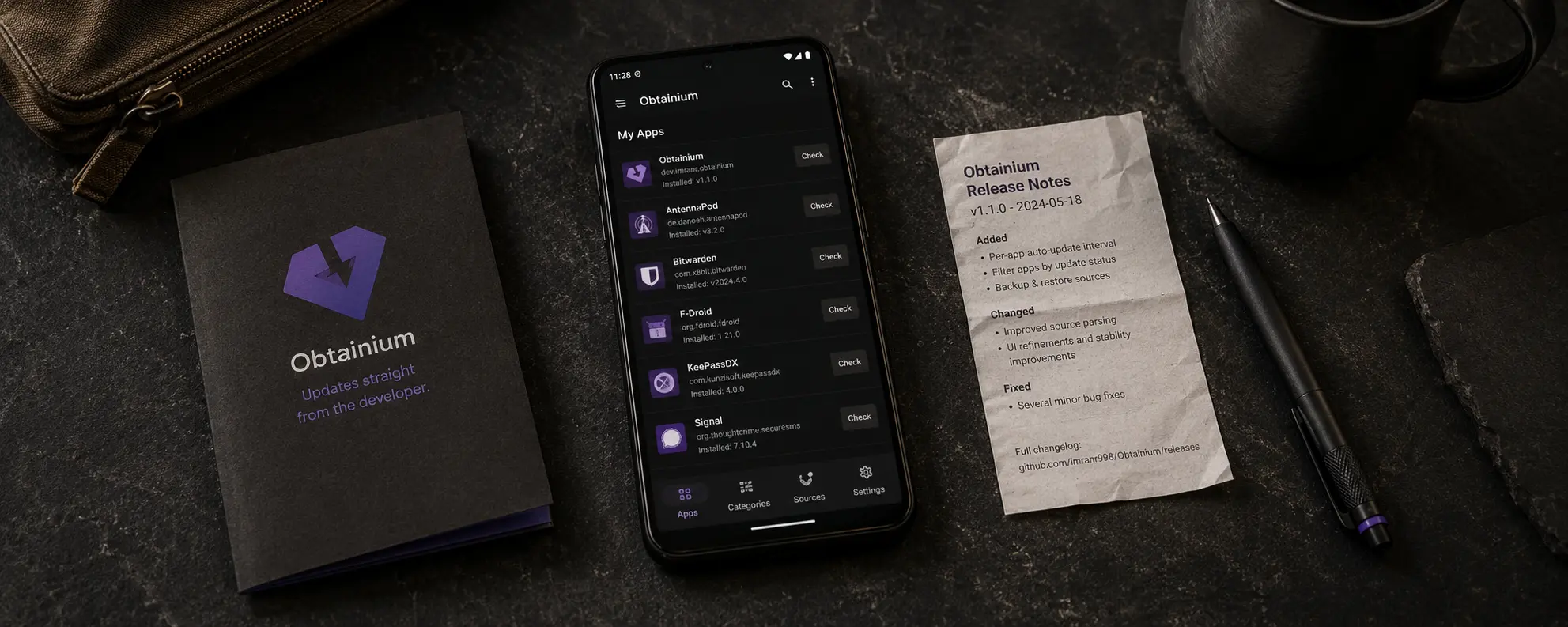
Obtainium review
Who is this for? Android users who know which open-source apps they want and want to receive updates directly from the source — without F-Droid’s build delay and without Aurora Store’s Google dependency.
Obtainium is open-source, free, and actively maintained. The project is developed by Imran Rahman and updated regularly. The most recent significant update was in April 2026.
What Obtainium does
Obtainium is not an app store. It is an app update manager that monitors developer release pages and notifies or installs when a new version is available. You configure which apps you want to track and where the source is.
| Obtainium | F-Droid | Aurora Store | Google Play | |
|---|---|---|---|---|
| Source | Directly from developer | F-Droid build infrastructure | Google Play (mirror) | Google Play |
| Open-source required | Optional | Yes | No | No |
| Tracker scan | No | Yes | No | No |
| Update speed | Fast (direct from source) | Slower | Fast | Fast |
| Central control | No | Yes (F-Droid builds) | Google + Aurora | |
| Setup complexity | Medium | Low | Low | Low |
| Google account required | No | No | No | Yes |
Supported sources
Obtainium works with a wide range of sources:
Open-source platforms:
- GitHub, GitLab, Forgejo (Codeberg), SourceHut
- F-Droid repos (including third-party repos like IzzyOnDroid)
Other sources:
- APKPure, Aptoide, Uptodown, Huawei AppGallery
- APKMirror — tracking mode only (notifications, no downloads)
- HTML fallback: any URL containing APK links
Community catalogue: apps.obtainium.imranr.dev provides pre-configured app sources you can import with a single click. This significantly lowers the barrier to getting started.
The security model
Obtainium’s core promise is directness: you fetch apps from the original source, not from an intermediary infrastructure that rebuilds or re-signs the APK.
Where the model is strong:
- No central build infrastructure that could be compromised (as is theoretically possible with F-Droid).
- Updates come directly from the developer — the same releases that appear on GitHub.
- You know exactly where the APK comes from.
Where the model is weaker than F-Droid:
- Obtainium does not automatically verify APK signatures before installation. Verification responsibility sits with the user.
- There is no tracker scan — you cannot see which libraries are in the app unless you check the source code yourself.
- Incorrect or malicious GitHub releases are not blocked — you are trusting the developer directly.
Signature compatibility:
Apps signed by F-Droid and apps signed by the original developer (via GitHub) use different keys. You cannot upgrade an F-Droid version to an Obtainium version without uninstalling and reinstalling the app. Choose one source per app and stick with it.
Getting started
Installing
Obtainium is not available on Google Play. You install it as an APK:
- Go to github.com/ImranR98/Obtainium/releases
- Download the latest APK
- Install — Android will ask for confirmation for an unknown source
Or install via F-Droid (available in the IzzyOnDroid repo).
Optional: verify the signature
Obtainium itself is reproducibly built. The SHA-256 fingerprint is listed on the GitHub page.
Adding your first apps
Via the community catalogue (recommended starting point):
- Go to apps.obtainium.imranr.dev
- Search for an app
- Click Add to Obtainium — the configuration is imported automatically
Adding manually:
- Open Obtainium → + (new)
- Enter the GitHub release URL for the app, e.g.
https://github.com/beemdevelopment/Aegis - Obtainium automatically detects the release structure
Which apps work well with Obtainium?
Obtainium works well for:
- Aegis Authenticator — 2FA app, frequently updated
- Molly — Signal fork with its own GitHub releases
- KeePassDX — password manager with active GitHub releases
- Organic Maps — offline navigation, regular releases on GitHub
Less suitable: apps without public GitHub releases, or apps that depend on Play Services.
Caveats
Higher user responsibility. Obtainium trusts the developer directly. You install what is on the GitHub release page — no extra review layer. Use Obtainium for apps where you know and trust the source.
No tracker scan. Unlike F-Droid, you cannot see which tracking libraries are in the app. Check exodus-privacy.eu.org if you want to verify this.
Signature conflicts. If you already have an app installed via F-Droid, you cannot upgrade to Obtainium — you have to uninstall and reinstall from the new source.
Not for non-technical users. Initial setup requires knowing where an app’s release files are hosted. The community catalogue helps, but it is not as simple as a regular app store.
Pros and cons
Pros
- Updates directly from the source — no build delay like F-Droid
- No central infrastructure acting as a single point of trust
- Works with GitHub, GitLab, Codeberg, and more
- Community catalogue lowers the barrier
- Open-source, free, actively maintained
Cons
- No tracker scan
- No automatic APK signature verification
- Higher user responsibility than F-Droid
- Signature conflicts when switching from F-Droid to Obtainium for the same app
- Less suitable as a sole app source — works better as a complement
Conclusion
Obtainium complements F-Droid for users who want fast updates from apps they already trust. It eliminates F-Droid’s build delay and Aurora’s Google account requirement, but shifts verification responsibility to the user.
For most readers, the best model is: F-Droid as the base (transparent infrastructure, tracker scan), Obtainium for apps where update speed matters or that are not yet in F-Droid.
Choose Obtainium if you already know which open-source apps you want, you trust the developer source directly, and you want faster updates than F-Droid provides.
Next step
If you chose Obtainium
- F-Droid review — for open-source apps with central curation and tracker scanning
Similar options
- Aurora Store review — Play apps without a Google account
- Aegis Authenticator review — the recommended 2FA app, available via F-Droid and Obtainium
Go further
- Android privacy without a custom ROM — broader baseline settings for stock Android users
- GrapheneOS first setup — F-Droid and Obtainium on GrapheneOS