GL.iNet Flint 3 (BE9300) review
Who is this for? Home users who want the latest Wi-Fi 7 generation with built-in VPN and OpenWrt. The Flint 2 is the more affordable Wi-Fi 6 choice if Wi-Fi 7 isn’t a requirement.
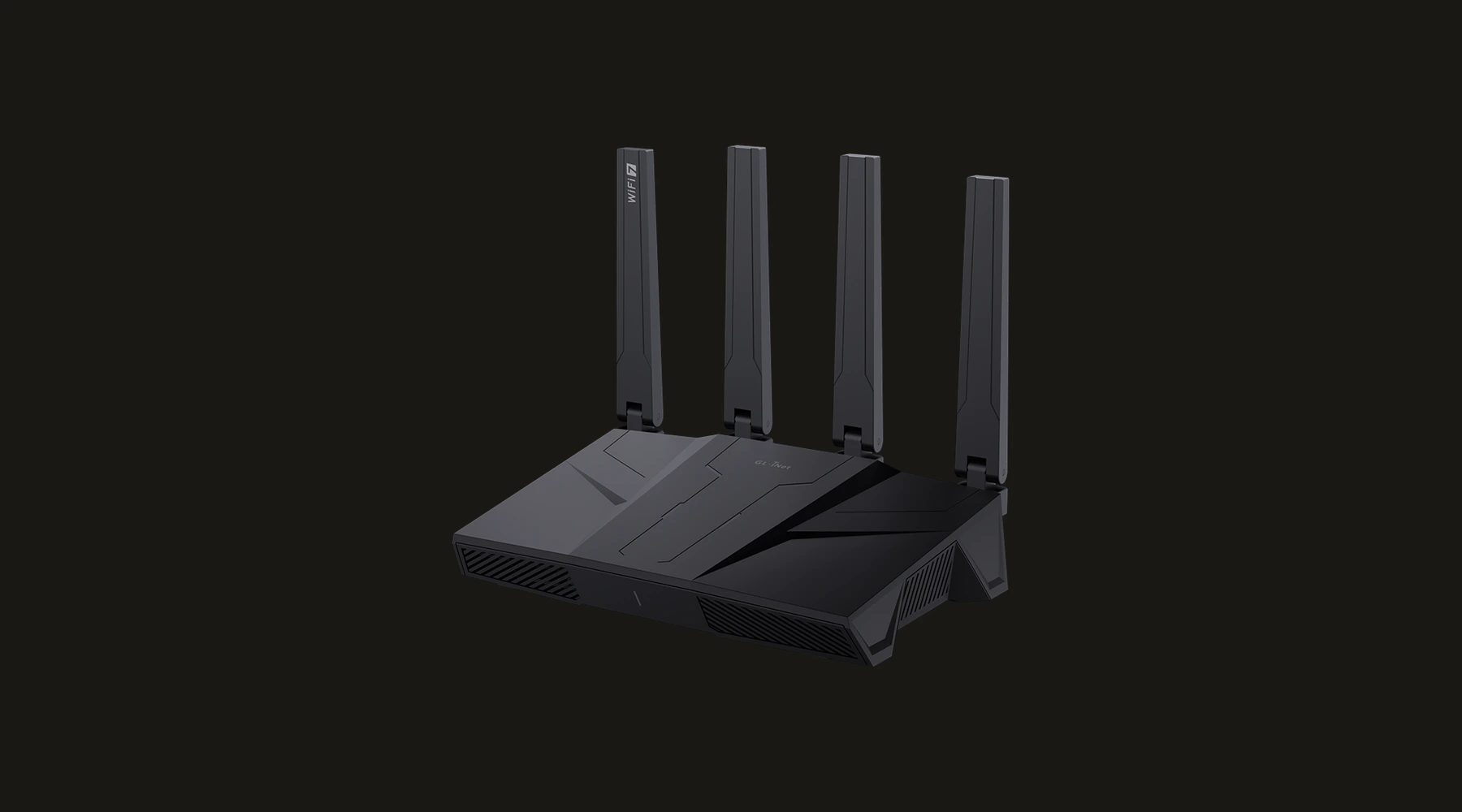
GL.iNet Flint 3 (BE9300) review
Who is this for? Home users who want the latest Wi-Fi 7 generation with built-in VPN and OpenWrt. The Flint 2 is the more affordable Wi-Fi 6 choice if Wi-Fi 7 isn’t a requirement.
The Flint 3 is the home router successor to the Flint 2. Where the Flint 2 had Wi-Fi 6, the Flint 3 has Wi-Fi 7 — the latest generation of Wi-Fi with lower latency and higher speeds. Add five 2.5G Ethernet ports, a Qualcomm chipset and full OpenWrt support.
Specifications
| Property | Value |
|---|---|
| Processor | Qualcomm quad-core 1.5 GHz |
| RAM | 1 GB DDR4 |
| Storage | 8 GB eMMC |
| Wi-Fi | Wi-Fi 7 tri-band (BE9300) |
| Wi-Fi speeds | 688 Mbps (2.4G) + 2,882 Mbps (5G) + 5,765 Mbps (6G) |
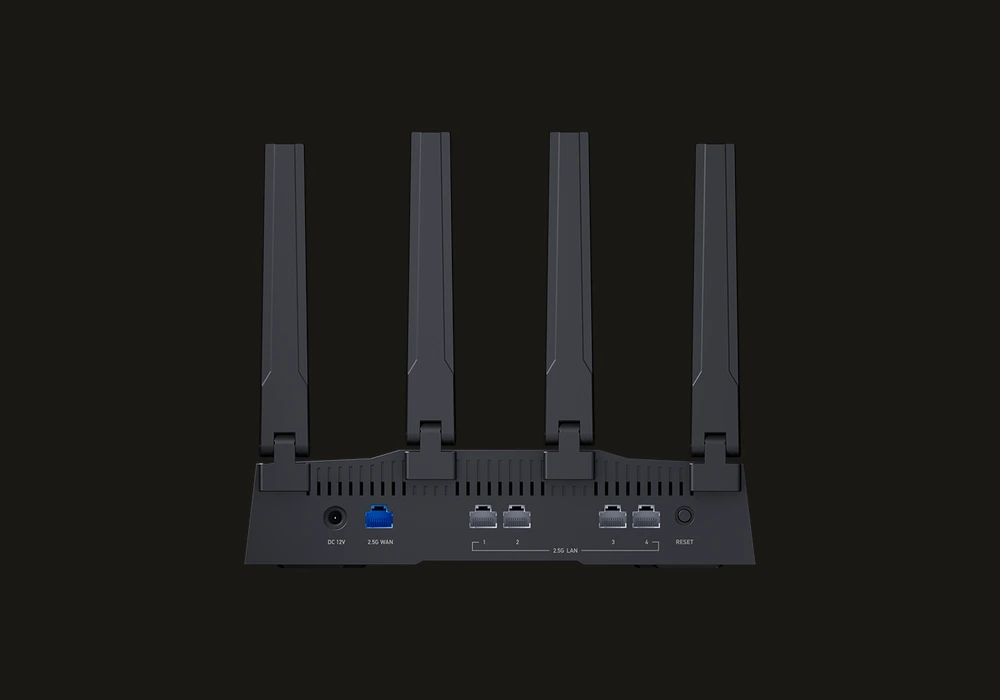
| Ethernet | 5x 2.5 Gbps (3 LAN + 1 WAN/LAN + 1 WAN) |
| Operating System | OpenWrt |
| WireGuard | ~680 Mbps |
| OpenVPN-DCO | ~680 Mbps |
| Price | Paid |
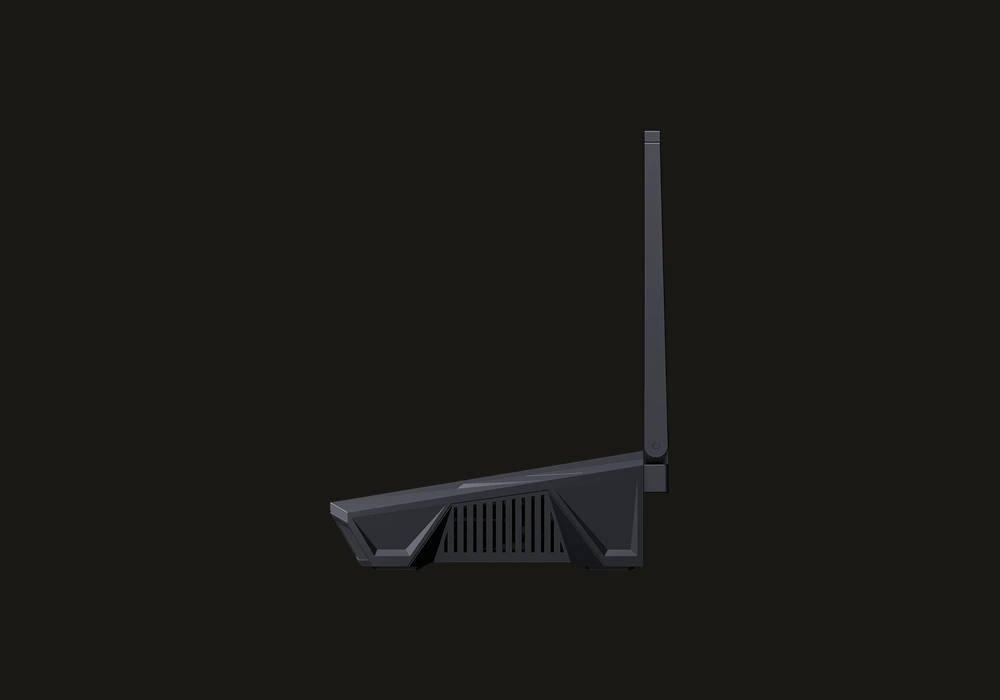
Wi-Fi 7: what changes in practice?
Wi-Fi 7 brings three relevant improvements over Wi-Fi 6/6E:
Multi-Link Operation (MLO): A device can be simultaneously connected via 2.4, 5 and 6 GHz. The router automatically chooses the fastest band. Fewer handoffs when moving through your home.
4K-QAM: Higher modulation — more data per signal cycle under good conditions. Relevant at short distance from the router.
Lower latency: Better for gaming, video calls and real-time applications. Not relevant for VPN throughput, but noticeable in daily use.
Practical note: Wi-Fi 7 requires Wi-Fi 7 clients (newer laptops and phones). Older devices connect fine via Wi-Fi 6 or 5.
Five 2.5G ports: the difference
The Flint 2 had one 2.5G WAN port and four Gigabit LAN ports. The Flint 3 has five 2.5G ports: three fixed LAN ports, one configurable WAN/LAN port, and one WAN port. That means:
- Wired devices can reach up to 2.5 Gbps if your NAS, server or gaming PC supports it
- Backbone connection to a Wi-Fi access point or switch runs at 2.5G instead of 1G
- More flexibility for multi-WAN configurations
WireGuard: 680 Mbps
The Flint 3 achieves ~680 Mbps WireGuard. That is less than the Flint 2 (~900 Mbps) and the Brume 3 (~1,100 Mbps). The reason: the Qualcomm chipset is optimised for Wi-Fi throughput and port density, not purely for VPN processing.
For most users, 680 Mbps is more than enough — it is faster than most home internet connections. If WireGuard speed is your top priority, choose the Brume 3 as a gateway or the Flint 2.
Qualcomm vs MediaTek: does it matter?
The Flint 2 uses MediaTek (MT6000). The Flint 3 uses Qualcomm.
Qualcomm advantage: Historically better OpenWrt community support. Qualcomm chipsets are widely used in high-end routers and have mature driver support.
In practice: For normal use this is not noticeable. For those who go deep into OpenWrt and want to run custom software: Qualcomm hardware has more available packages and better community documentation.
Built-in features
Via the GL.iNet web interface:
- WireGuard and OpenVPN client
- DNS-over-TLS and DNS-over-HTTPS
- AdGuard Home
- VPN policy per device and per domain
- Guest network with client isolation
- Kill switch
- Multi-WAN failover
Flint 2 or Flint 3?
| Flint 2 (MT6000) | Flint 3 (BE9300) | |
|---|---|---|
| Wi-Fi | Wi-Fi 6 | Wi-Fi 7 |
| Ethernet | 1x 2.5G WAN + 4x GbE LAN | 5x 2.5G |
| WireGuard | ~900 Mbps | ~680 Mbps |
| Chipset | MediaTek | Qualcomm |
| Price | lower | higher |
Choose Flint 2 if: You want higher WireGuard speed at a lower price and Wi-Fi 6 is sufficient.
Choose Flint 3 if: You want Wi-Fi 7, you have multiple 2.5G wired devices, or you prefer Qualcomm hardware.
Caveats
Wi-Fi 7 is only meaningful if your clients can use it: Buying a Wi-Fi 7 router for a house full of Wi-Fi 5 and 6 devices is often a future-proofing decision, not an immediate upgrade. That is fine, but it should be understood as such.
It is not the best GL.iNet box for pure VPN throughput: If your main reason to buy is WireGuard performance, the Flint 3 is not the strongest value in the lineup. The Flint 2 or Brume 3 are usually the more direct answers.
Price creep is real in this tier: Once you are paying for Wi-Fi 7 and full 2.5G port density, you need a network that will actually benefit. Otherwise the Flint 3 can easily become an expensive “nice on paper” purchase.
Pros and cons
Pros
- Wi-Fi 7 with Multi-Link Operation — simultaneous connection via 2.4, 5, and 6 GHz bands
- Five 2.5G Ethernet ports — all ports run at 2.5 Gbps, rare at this price point
- Qualcomm chipset with broader OpenWrt community support and more available packages
- Full GL.iNet feature set: AdGuard Home, DNS-over-TLS, kill switch, multi-WAN failover, per-device VPN policy
- OpenVPN-DCO support at ~680 Mbps alongside WireGuard
Cons
- WireGuard throughput (~680 Mbps) is lower than the Flint 2 (~900 Mbps) and Brume 3 (~1,100 Mbps) — the Qualcomm chipset prioritises Wi-Fi over VPN processing
- More expensive than the Flint 2 while offering less pure WireGuard throughput
- Wi-Fi 7 benefit is limited unless clients also support Wi-Fi 7
Getting started
1. Installation
Connect the Flint 3 to your modem or ISP router via the WAN port. Connect a device via Ethernet or Wi-Fi to the default GL.iNet network. Open 192.168.8.1 in your browser to access the web interface. Set an admin password on first login.
2. Setting up VPN
Go to VPN → WireGuard Client and add your VPN configuration file (.conf file from your provider). Enable the kill switch so traffic blocks automatically if the VPN connection drops. Test the connection with an IP check on a connected device.
For DNS security: go to Network → DNS and enable DNS-over-TLS or DNS-over-HTTPS. Bind this to the VPN connection for full DNS protection.
3. AdGuard Home
Go to Applications → AdGuard Home and enable it. AdGuard Home acts as a local DNS ad blocker for all devices on your network — no per-device installation needed.
4. Port configuration
The four LAN ports are usable as internal network ports by default. If you need an additional WAN port for multi-WAN failover, configure this under Network → Multi-WAN.
Conclusion
The Flint 3 is a strong home router for those who want Wi-Fi 7 now and need multiple fast wired connections. Five 2.5G ports are rare at this price point. The lower WireGuard figure compared to the Flint 2 is a mild caveat but rarely a practical issue for home use.
Next step
Chosen the Flint 3?
- GL.iNet travel router setup guide — step-by-step WireGuard, DNS-over-TLS and AdGuard Home configuration
Similar options
- GL.iNet Flint 2 review — previous generation, slightly more WireGuard speed at a lower price
- GL.iNet Brume 3 review — if you don’t need Wi-Fi but want maximum VPN speed
Want to go further?
- Which network fits your profile? — how much router do you actually need?