GL.iNet Brume 3 (MT5000) review
Who is this for? Anyone who wants a VPN gateway with maximum WireGuard speed (1,100 Mbps) or who is in an environment that blocks VPN traffic. The Brume 2 is sufficient for connections up to around 300 Mbps.
GL.iNet Brume 3 (MT5000) review
Who is this for? Anyone who wants a VPN gateway with maximum WireGuard speed (1,100 Mbps) or who is in an environment that blocks VPN traffic. The Brume 2 is sufficient for connections up to around 300 Mbps.
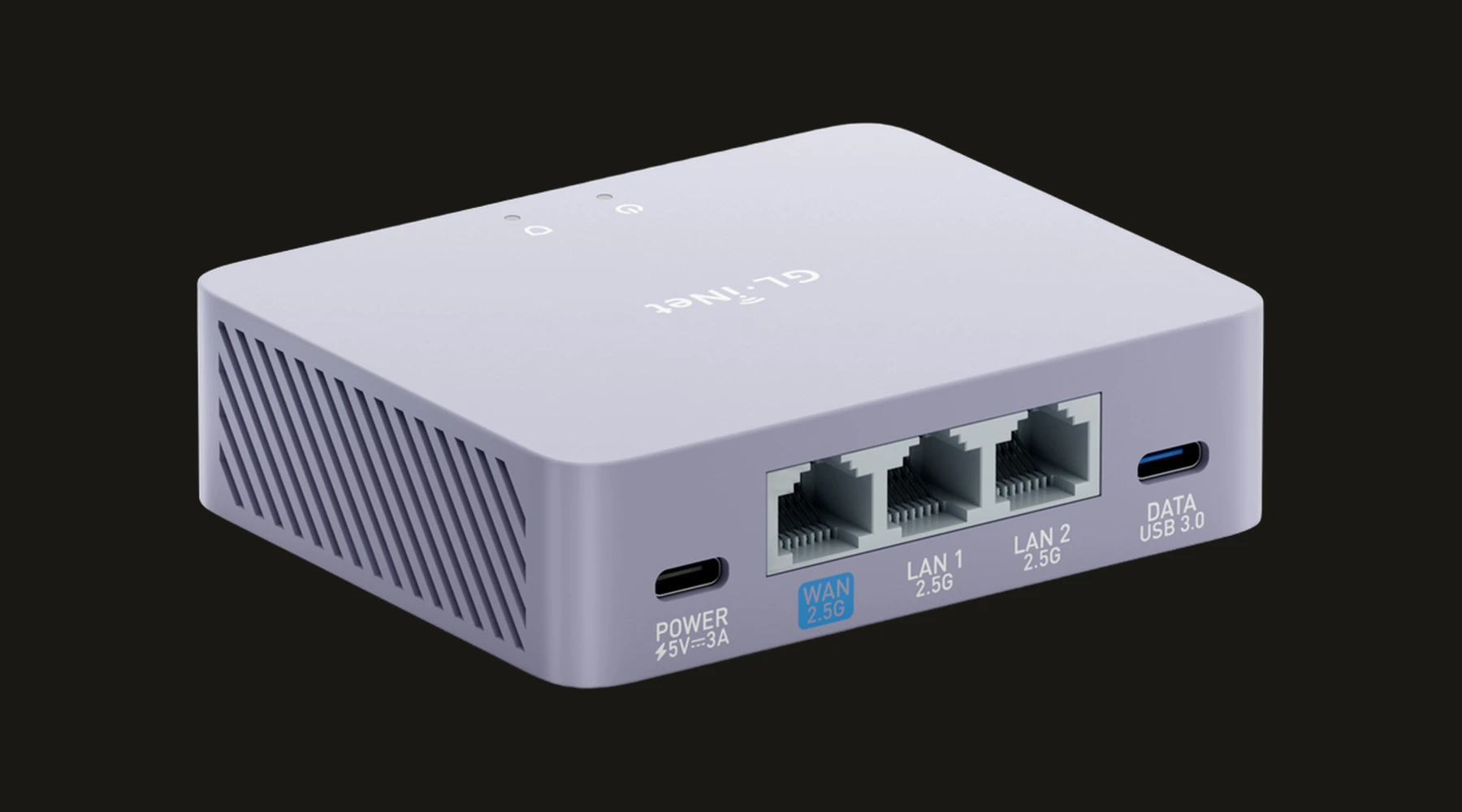
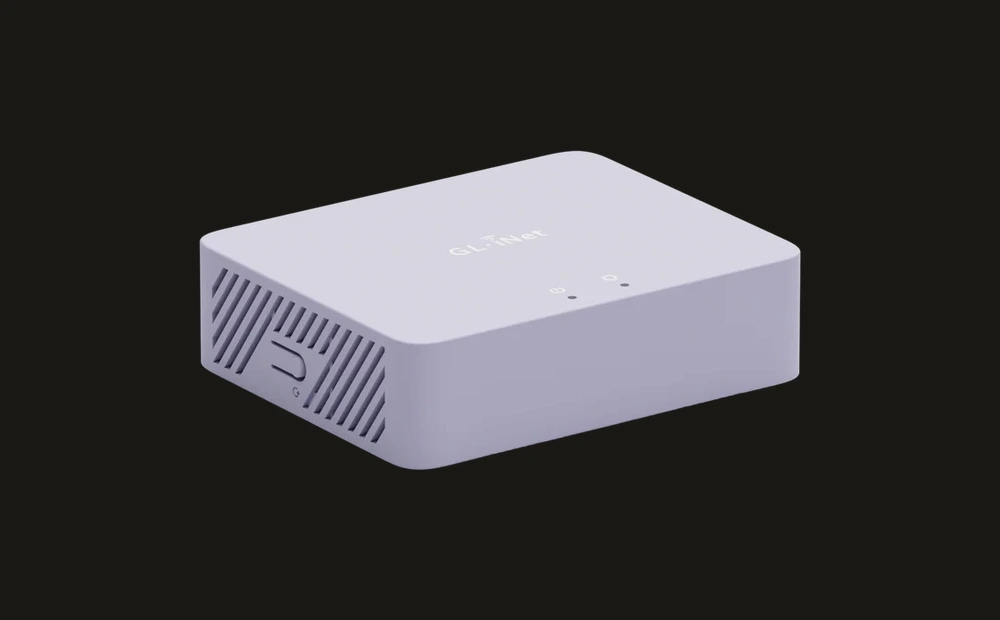
The Brume 3 is the successor to the Brume 2 — a VPN gateway without Wi-Fi that you place in front of your existing router. Compared to its predecessor it offers three times the WireGuard throughput (1,100 Mbps), three 2.5G ports, and something new: AmneziaVPN support, which lets you bypass VPN blocks in environments that actively filter VPN traffic.
Specifications
| Property | Value |
|---|---|
| Processor | MediaTek quad-core (ARM Cortex-A53) |
| RAM | 1 GB DDR4 |
| Storage | 8 GB eMMC |
| Wi-Fi | None |
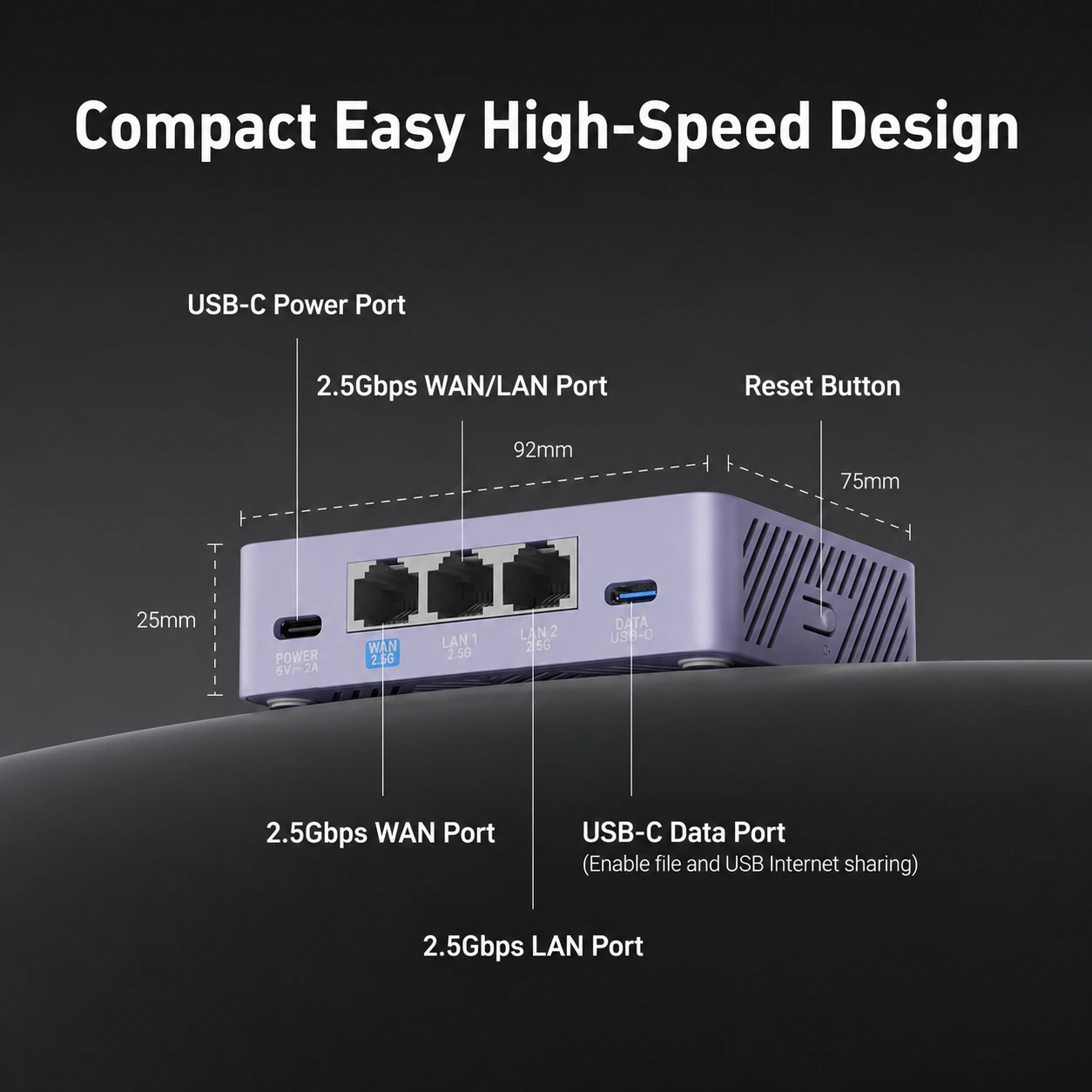
| Ethernet | 3x 2.5 Gbps (configurable as WAN/LAN) |
| USB | 1x USB 3.0 |
| Operating System | GL.iNet firmware based on OpenWrt 21.02 |
| Power | USB-C |
| Price | Paid |
WireGuard performance: 1,100 Mbps
The Brume 3 achieves up to 1,100 Mbps via WireGuard — the fastest VPN gateway in the GL.iNet lineup. For symmetric 1 Gbps fibre connections, this is the only compact gateway that does not throttle your connection.
Comparison:
| Model | WireGuard | Price |
|---|---|---|
| Brume 2 (MT2500) | ~310 Mbps | lower |
| Flint 2 (MT6000) | ~900 Mbps | mid-range |
| Brume 3 (MT5000) | ~1,100 Mbps | mid-range / premium |
| Flint 3 (BE9300) | ~680 Mbps | premium |
AmneziaVPN: bypassing VPN blocks
This is the feature that makes the Brume 3 unique. Standard VPN protocols (WireGuard, OpenVPN) are identifiable by Deep Packet Inspection — the technology hotels, corporate networks, and some countries use to block VPN traffic.
AmneziaWG adds obfuscation to WireGuard traffic so it looks more like standard web traffic. Result: harder for firewalls and filtering systems to single out.
When this is relevant:
- Corporate networks that block VPN
- Hotel networks with active filtering
- Connecting from countries with VPN restrictions (China, Russia, UAE)
Limitation: AmneziaWG only works if your own VPN server or provider explicitly supports AmneziaWG configuration files.
Three 2.5G ports: flexible configuration
The Brume 3 has three ports you can configure flexibly. They are labelled WAN 2.5G, LAN 1 2.5G, and LAN 2 2.5G by default — but the assignment is configurable:
- Default: 1 WAN + 2 LAN
- Or: 2 WAN + 1 LAN (multi-WAN load balancing or failover)
- The USB 3.0 port is separately labelled DATA — for storage or plugin expansion
Built-in features
Via the GL.iNet web interface:
- WireGuard, OpenVPN and AmneziaVPN client
- DNS-over-TLS and DNS-over-HTTPS
- AdGuard Home
- DPI (Deep Packet Inspection) — traffic analysis, malware filtering, and per-app or per-domain content blocking
- VPN policy per device
- Kill switch
- Multi-WAN failover
Brume 2 or Brume 3?
Choose Brume 2 if: Your connection is under 300 Mbps, you don’t need AmneziaVPN, and you prefer the lower price.
Choose Brume 3 if: You have 500+ Mbps fibre, you need to bypass VPN blocks, or you want the extra flexibility of three 2.5G ports.
Caveats
Its headline feature is niche: AmneziaVPN is interesting, but only if your network actually blocks standard VPN traffic and you are willing to run a compatible server. For many buyers, that feature will remain theoretical.
No Wi-Fi means it still depends on another network layer: Like the Brume 2, this is a specialist box, not the whole home-network answer. If you need a single-device solution, a Flint model is usually the cleaner fit.
Easy to overbuy: The Brume 3 makes sense when speed or censorship resistance is the point. If your line speed and use case are ordinary, much of what you are paying for will sit idle.
Pros and cons
Pros
- 1,100 Mbps WireGuard throughput — the only compact gateway that does not throttle a 1 Gbps fibre connection
- AmneziaWG obfuscation helps make WireGuard traffic less recognizable on corporate networks and in some restricted environments
- Three configurable 2.5G ports — supports dual-WAN failover or multi-device wired connections
- Same GL.iNet feature set: AdGuard Home, DNS-over-TLS, kill switch, per-device VPN policy, DPI traffic filtering
- Strong value if your priority is throughput and gateway flexibility rather than Wi-Fi
Cons
- AmneziaWG only works with your own VPN server or a provider that explicitly supports AmneziaWG configuration files
- No Wi-Fi — same limitation as Brume 2, requires an existing router behind it
- Overkill for connections under 300 Mbps — Brume 2 is cheaper and sufficient in that case
Getting started
1. Installation
Connect the Brume 3 between your modem and existing router: modem → Brume 3 (WAN port) → router (WAN port). Or use it as a direct gateway: modem → Brume 3, and connect devices to the LAN ports. Open 192.168.8.1 in your browser. Set an admin password on first login.
2. Setting up WireGuard
Go to VPN → WireGuard Client. Add your .conf file from your VPN provider. Enable the kill switch. Test with an IP check on a connected device.
3. Setting up AmneziaWG (optional)
Go to VPN → AmneziaVPN. You need an AmneziaWG configuration file from your provider or self-hosted server. Not all providers support this — check in advance. Only use this if you know you are on a network that actively blocks standard WireGuard.
4. DNS encryption
Go to Network → DNS and enable DNS-over-TLS or DNS-over-HTTPS for the whole network. Bind this to the VPN connection so DNS queries do not leak outside the tunnel.
Conclusion
The Brume 3 is the logical choice for anyone who would buy a Brume 2 but has a faster connection, or who regularly deals with networks that block VPN. The WireGuard performance is impressive for this size and price. AmneziaVPN is a niche feature but genuinely valuable for the right user.
Next step
Chosen the Brume 3?
- GL.iNet travel router setup guide — step-by-step WireGuard, DNS-over-TLS and AdGuard Home configuration
Similar options
- GL.iNet Brume 2 review — the simpler, cheaper gateway for connections up to 300 Mbps
- GL.iNet Flint 3 review — if you also want Wi-Fi and five 2.5G ports
Want to go further?
- Privacy DNS guide — setting up DNS-over-TLS on your network
- Which network fits your profile? — how much gateway do you actually need?