GL.iNet Slate 7 (BE3600) review
Who is this for? Travellers who want the latest Wi-Fi 7 travel router with touchscreen and 2.5G ports. The Beryl AX is the more affordable Wi-Fi 6 choice that works well for most travellers.
GL.iNet Slate 7 (BE3600) review
Who is this for? Travellers who want the latest Wi-Fi 7 travel router with touchscreen and 2.5G ports. The Beryl AX is the more affordable Wi-Fi 6 choice that works well for most travellers.
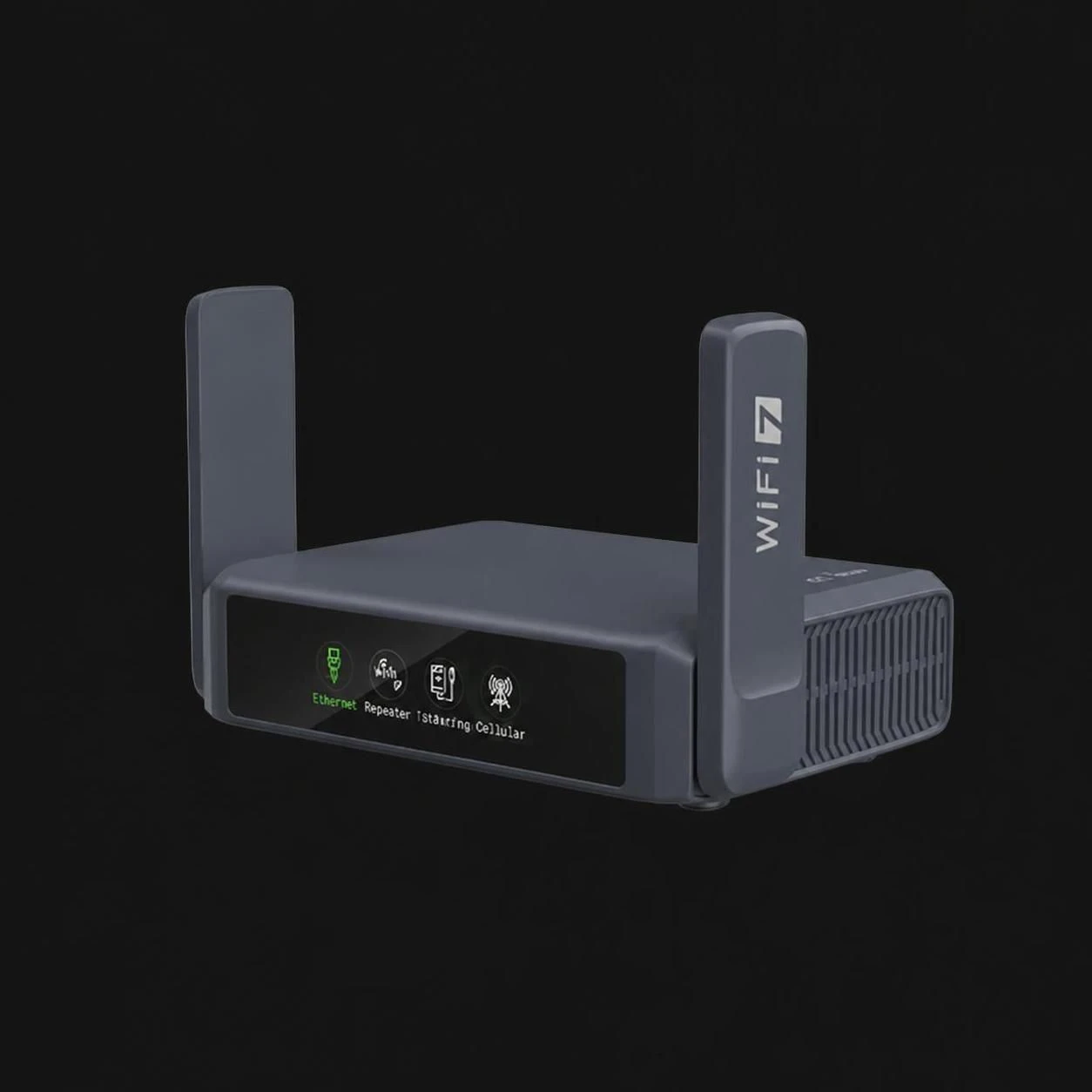
The Slate 7 is GL.iNet’s first Wi-Fi 7 travel router. It succeeds the Beryl AX as the premium travel router — more compact than the Slate AX, more modern than the Beryl AX. With two 2.5G ports that can each be configured as WAN or LAN, a touchscreen, and the latest Wi-Fi generation, this is the most capable travel router in the current GL.iNet lineup.
Specifications
| Property | Value |
|---|---|
| Processor | Qualcomm quad-core, 1.1 GHz |
| RAM | 1 GB DDR4 |
| Storage | 512 MB NAND |
| Wi-Fi | Wi-Fi 7 dual-band (BE3600) |
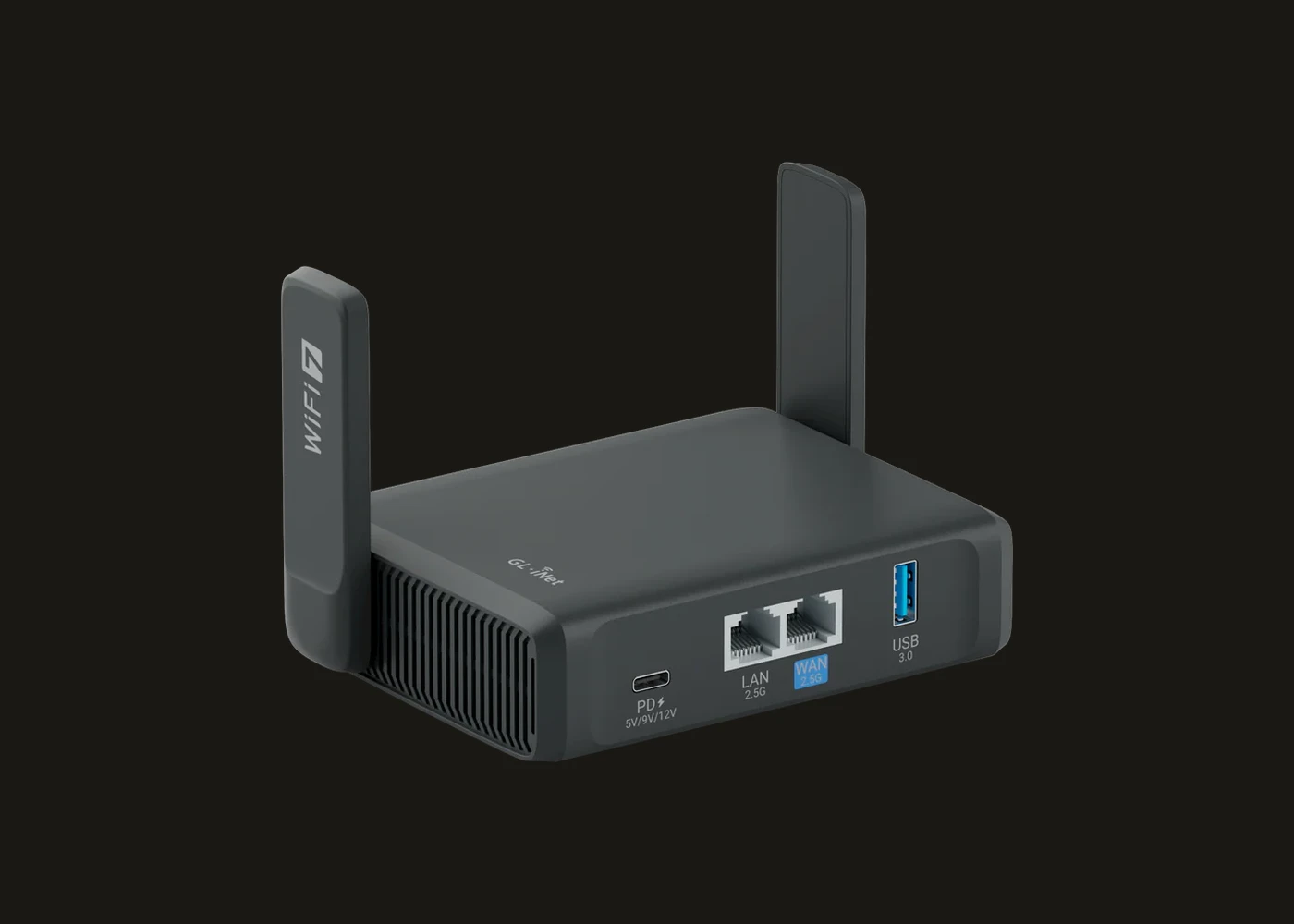
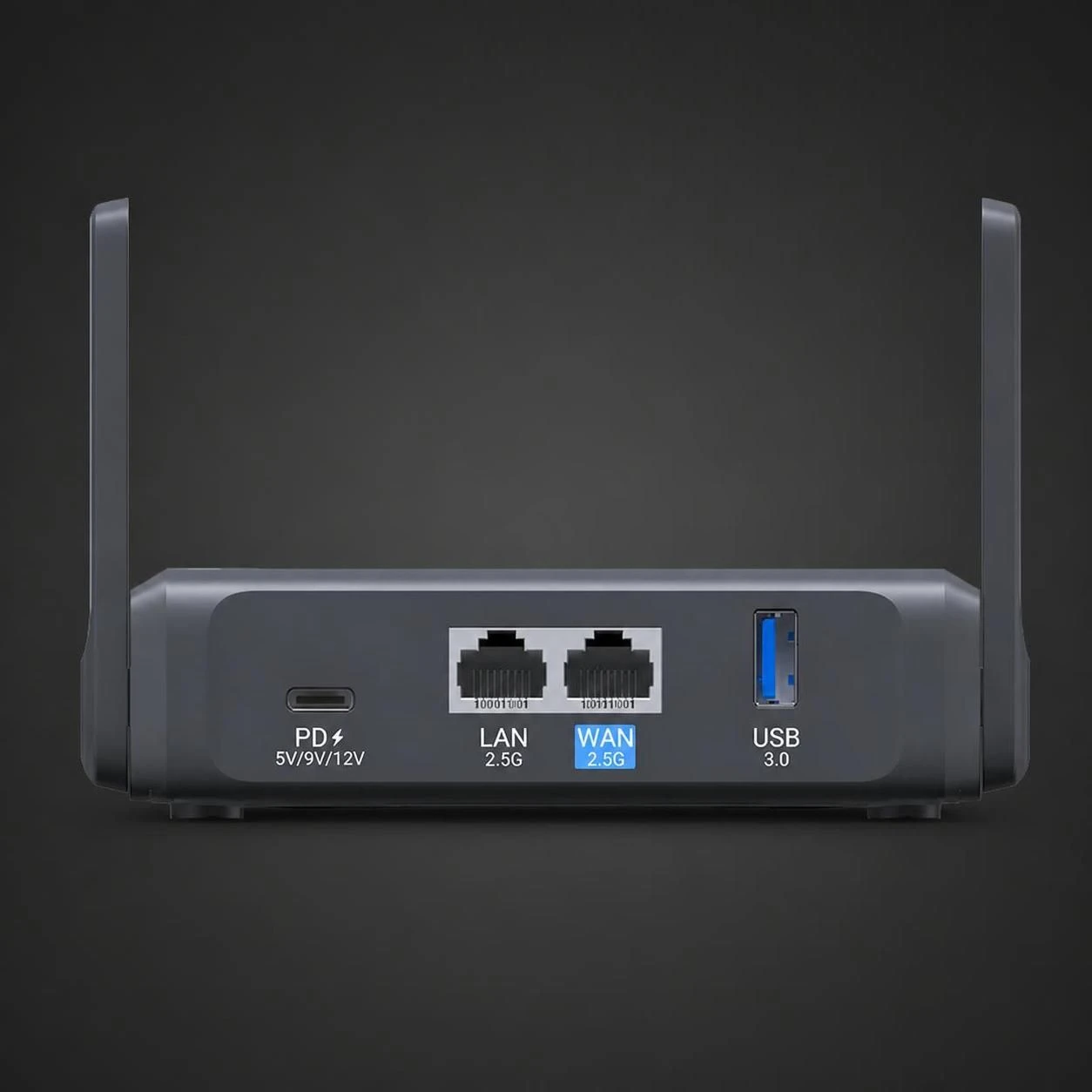
| Ethernet | 2x 2.5 Gbps (both configurable as WAN or LAN) |
| USB | 1x USB 3.0 |
| Touchscreen | Yes — VPN toggle, speed meter, QR code scanning |
| Operating System | OpenWrt 23.05 |
| Power | USB-C |
| Price | Paid |
Wi-Fi 7 in a travel router: what does it deliver?
Wi-Fi 7 brings Multi-Link Operation (MLO) and higher modulation. In a travel router the practical impact is more limited than in a home router — hotel networks and holiday rentals rarely reach the speeds where Wi-Fi 7 makes a measurable difference.
What you do notice while travelling:
- More stable connection in crowded environments (congested networks)
- Lower latency for video calls and real-time use
- Future-proof: hotels and accommodations are increasingly switching to Wi-Fi 6/7
As a home router: The Slate 7 also works well as a small home router. Two 2.5G ports and Wi-Fi 7 are more than enough for a flat or small household.
Two 2.5G ports: bidirectional
The Beryl AX has one 2.5G WAN port and one Gigabit LAN port. The Slate 7 has two 2.5G ports that can each be configured as WAN or LAN.
Practical: You can connect the Slate 7 via Ethernet (2.5G WAN) and simultaneously connect a wired device to the second port (2.5G LAN). Or configure dual-WAN for failover between two connections.
Touchscreen
The Slate 7 has a small touchscreen that lets you:
- Toggle VPN on and off without opening the web interface
- View current speed and VPN status at a glance
- Scan QR codes for quick Wi-Fi configuration
On the road this is useful: you can see at a glance whether your VPN is active without opening a browser.
WireGuard performance
GL.iNet specifies WireGuard throughput up to ~490 Mbps for the Slate 7. Independent testing shows real-world results of ~420–540 Mbps depending on server location and configuration — significantly above the Beryl AX (~280 Mbps) and more than enough for most connections.
Slate 7 vs Beryl AX
| Beryl AX (MT3000) | Slate 7 (BE3600) | |
|---|---|---|
| Wi-Fi | Wi-Fi 6 AX3000 | Wi-Fi 7 BE3600 |
| Ethernet WAN | 1x 2.5G | 2x 2.5G (bidirectional) |
| Ethernet LAN | 1x Gigabit | 2nd port configurable |
| RAM | 512 MB | 1 GB |
| Storage | 256 MB NAND | 512 MB NAND |
| Touchscreen | No | Yes |
| Price | paid | paid |
The Slate 7 is better than the Beryl AX on most technical points in the current lineup.
Caveats
Travel networks rarely justify the full spec sheet: Hotels and rentals are often the bottleneck, not your router. That means the Slate 7 can be the right premium travel router while still delivering only modest real-world gains over a cheaper model.
Easy to buy because it is new, not because you need it: If your actual goal is simply “reliable travel VPN router,” the Beryl AX remains a perfectly rational choice. The Slate 7 makes more sense when you specifically want the newer hardware and extra headroom.
Built-in features
Via the GL.iNet web interface:
- WireGuard and OpenVPN client
- DNS-over-TLS and DNS-over-HTTPS
- AdGuard Home
- Captive portal mode (for hotel Wi-Fi login pages)
- Repeater mode
- VPN policy per device
- Kill switch
Pros and cons
Pros
- Wi-Fi 7 with more stable connections in congested environments (hotels, airports)
- Two 2.5G ports both configurable as WAN or LAN — enables dual-WAN failover or fast wired device connection
- 1 GB DDR4 RAM — more headroom than the Beryl AX for running services simultaneously
- Touchscreen shows VPN status and speed at a glance without opening a browser
- USB-C powered — works from any laptop or phone charger on the road
Cons
- WireGuard throughput (~490 Mbps) lower than the Flint 2 (~900 Mbps) — but more than enough for a travel router
- Wi-Fi 7 advantage is limited in practice on hotel and rental networks that rarely reach Wi-Fi 6 speeds
Conclusion
The Slate 7 is the logical choice if you are buying a new GL.iNet travel router today. Wi-Fi 7, two 2.5G ports, 1 GB RAM and a convenient touchscreen make it the more capable travel platform. The main reason to choose the Beryl AX instead is if you find one cheaper or you prefer the older, better-understood option.
Getting started
1. Connect it
Connect the Slate 7 to an Ethernet port (hotel or modem) via one of the 2.5G ports as WAN. Use repeater mode to connect to an existing Wi-Fi network. Open 192.168.8.1 in a browser on a connected device. Set an admin password on first login.
2. Set up WireGuard
Go to VPN → WireGuard Client and import the .conf file from your VPN provider. Enable the kill switch. You can also check VPN status directly on the touchscreen — useful on the road without opening a browser.
3. Captive portals
At hotels and airports, go to More Settings → Captive Portal, enable the mode, log in through the router browser, then re-enable VPN.
4. Port configuration
Both 2.5G ports are configurable as WAN or LAN. Default is one WAN, one LAN. For dual-WAN failover between two connections, configure this under Network → Multi-WAN.
Next step
Chosen the Slate 7?
- GL.iNet travel router setup guide — step-by-step WireGuard, DNS-over-TLS and AdGuard Home configuration
Similar options
- GL.iNet Beryl AX review — previous generation travel router, available cheaper second-hand
- GL.iNet Flint 2 review — fixed home router with higher WireGuard throughput and more ports
Want to go further?
- Which network fits your profile? — how much router do you actually need?