Cake Wallet review — open-source Monero wallet without your own server
Who is this for? Readers following the Monero guide who need a mobile wallet. Cake Wallet is one of the most widely used Monero wallets for Android and iOS, with built-in swap functionality — no separate exchange app needed to move from Bitcoin to Monero.

Cake Wallet review
Who is this for? Readers following the Monero guide who need a mobile wallet. Cake Wallet is one of the most widely used Monero wallets for Android and iOS, with built-in swap functionality — no separate exchange app needed to move from Bitcoin to Monero.
Cake Wallet is open-source and non-custodial: the source code is public on GitHub under an MIT license, and your private key never leaves your device. Cake Labs has existed since 2018 and claims over 1.75 million users.
Non-custodial: what that actually means
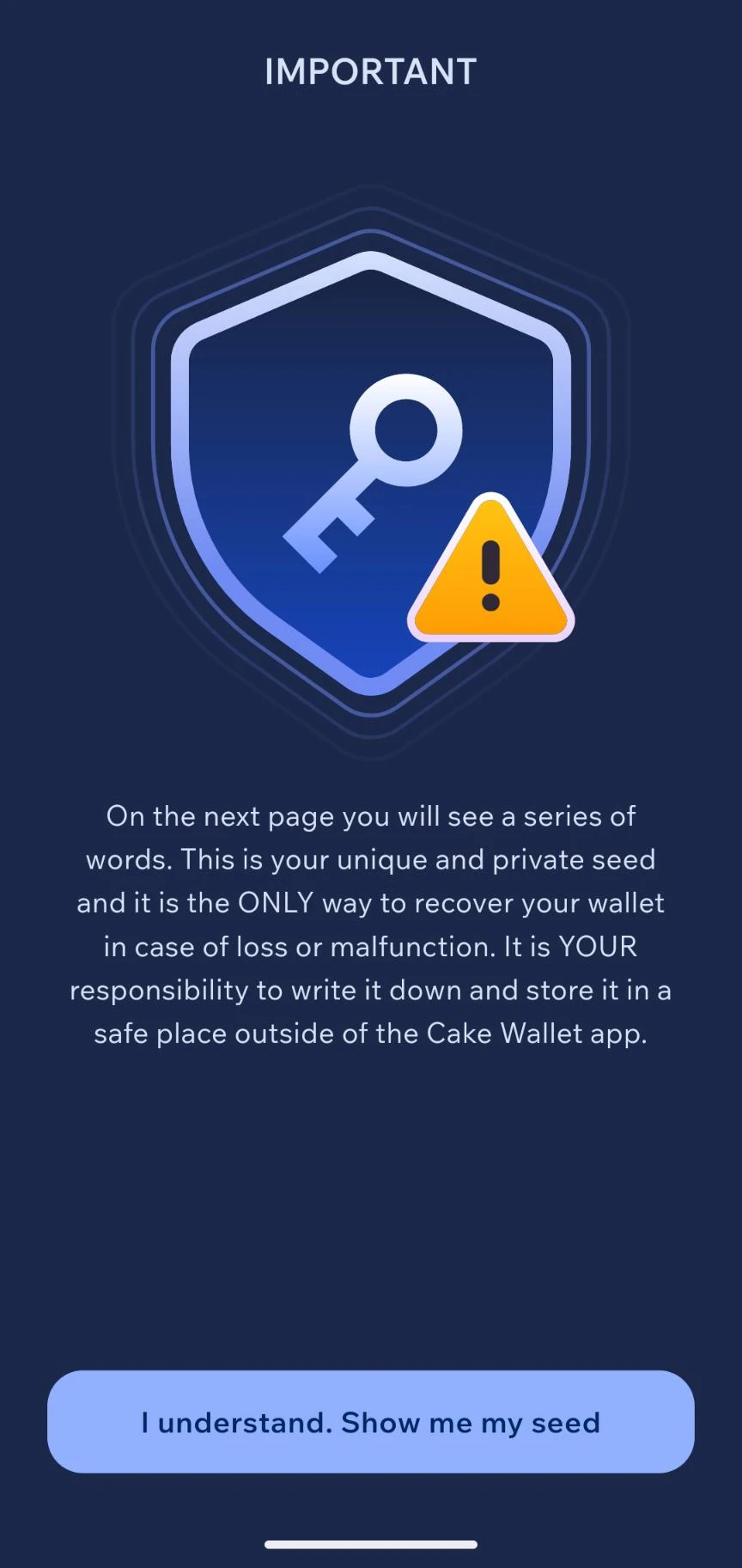
Non-custodial means Cake Wallet itself never has access to your funds. Your wallet is created locally with a seed phrase (25 words for a classic Monero wallet, or 16 words under the newer Polyseed standard; 12–24 words for Bitcoin-like coins). If you lose that seed phrase, there is no “forgot password” button — nobody, not even Cake Labs, can recover your wallet without it.
That’s the opposite of a custodial service (like an exchange account at Kraken or Coinbase), where the platform holds the keys and therefore also has access to your balance. For financial privacy, non-custodial is the right choice, but it shifts full backup responsibility onto you.
Store the seed phrase in your password manager or on paper, separate from your phone. Without the seed phrase, a lost or wiped device means permanently lost access.
Supported coins and built-in swap
Alongside Monero (XMR), Cake Wallet supports Bitcoin, Litecoin, Ethereum, Tether, and a range of other coins — but that doesn’t mean you get one big multi-coin wallet. Each coin has its own separate wallet with its own seed phrase by default. If you only want Monero, you simply create a Monero wallet and never touch the rest of the app — functionally identical to a Monero-only wallet like Monerujo, using the same 16-word Polyseed or 25-word legacy seed format.
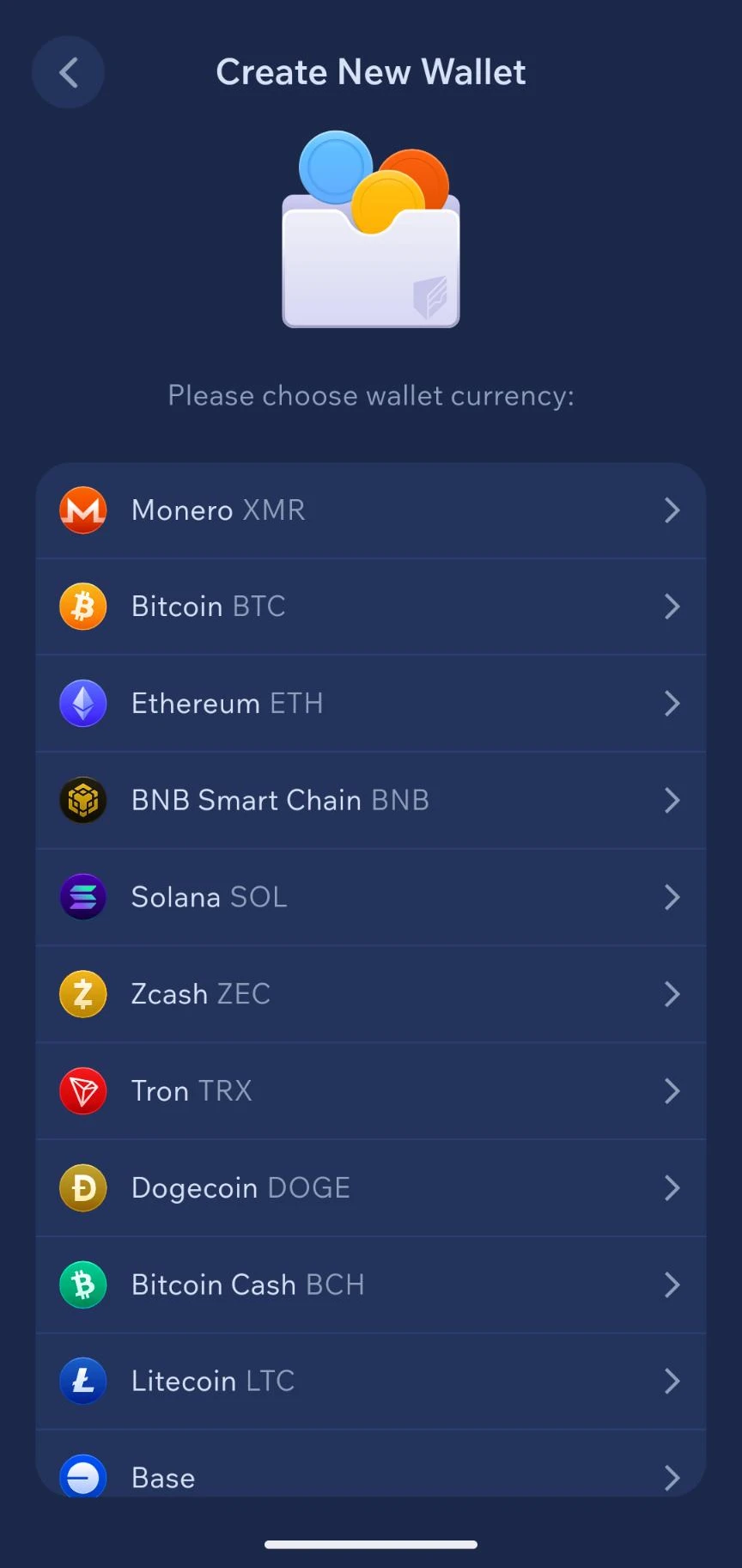
A more recent update also added an optional “Wallet Group”: one shared 12-word BIP39 seed that spans multiple coins at once (including Monero, as of a recent release). This is purely a convenience layer on top of the existing separate wallets, not a replacement for them. Readers who don’t want to manage multiple seed phrases can opt into it; readers who prefer to keep one coin strictly separate can simply ignore it.
The app also has a built-in swap feature for exchanging between coins directly, through several external exchange providers: ChangeNOW, Exolix, SideShift, Trocador, and a few others. This is the same route the Monero guide describes for converting Bitcoin to Monero without a separate KYC Monero purchase: buy Bitcoin through a regular exchange, then swap to Monero inside Cake Wallet.
Caveat: the swap itself happens through third parties, not Cake Wallet directly. Cake Wallet is the interface; the exchange provider processes the actual swap and may apply its own limits, rates, or (limited) identification requirements, depending on the provider chosen. That also means “without an exchange” isn’t quite precise: there’s always a third-party swap service in between, even when that service itself doesn’t ask for an account or KYC — you’re skipping a traditional exchange with its own account, not every intermediary.
Donation links via AnonPay
A lesser-known feature: from the Receive screen you can create a payment or donation link using Trocador AnonPay. The receiver doesn’t need their own Trocador account for this. The link opens a payment page (with both a clearnet and an onion version, plus a QR code) where the payer can pay with almost any coin Trocador supports — the receiver automatically gets the amount converted into whatever coin their own active wallet uses. Optionally you can add a name, description, and notification email address that the payer will see.
This is useful for something like a donation link on a website, without visitors needing to figure out which exact coin or network you use. Caveat: here too, Trocador is a real third party performing the conversion — exactly what it sees or logs about the amount, source coin, or any metadata is not published in detail by Cake Labs or Trocador. Treat this as a privacy improvement over a traditional payment processor, not a guarantee that nobody along the way can see anything.
Silent Payments: protecting the receiver on Bitcoin
Cake Wallet supports Silent Payments (BIP 352), a Bitcoin protocol that specifically protects the receiver’s privacy. Normally you share one static Bitcoin address, and every payment to it is visibly linkable to that address by anyone looking at the blockchain. With Silent Payments you instead share a static “sp1” address, but the sender automatically generates a new, unique Taproot address on-chain for every transaction — only the receiver can recognize that a given transaction is theirs. From the outside, the transactions aren’t linkable to each other or to one public address.
Technically, Cake Wallet deliberately chooses to scan for this on-device rather than leaving it to a server or a light node: if an external server did the scanning, that server could see which Silent Payments transactions belong to your wallet, partially undoing the privacy benefit. The cost is longer sync time and higher battery and device usage — a deliberate tradeoff favoring privacy over convenience.
Caveat: Silent Payments only protects against linking future payments to your address — it doesn’t hide amounts (the way Monero does), and it doesn’t help if you’ve already linked the sp1 address itself to your identity by sharing it publicly under your own name.
Tor Only Mode
Cake Wallet has a setting that forces exchange and fiat API traffic to run only through Tor when Tor is active — no silent fallback to a regular internet connection. This connects directly to a caveat in the Monero guide: Monero hides the transaction itself, but not your IP address toward the node you connect through. Tor Only Mode prevents a swap or fiat request from accidentally leaking outside Tor when you didn’t intend that.
Cupcake: turning an old phone into an air-gapped signer
Cake Labs also ships a free, separate companion app called Cupcake, available for both Android and iOS, that turns a spare phone into an air-gapped hardware-wallet-style signer for Bitcoin and Monero (more coins planned, starting with Litecoin). The private key lives only on the Cupcake device; Cake Wallet on your main phone holds only the view key, so it can display balance and history and prepare transactions, but cannot sign them alone.
The transfer between the two devices happens entirely through QR codes, not a wireless connection: Cake Wallet prepares a transaction and shows it as a QR code, Cupcake scans it and signs offline, then shows the signed transaction back as a QR code for Cake Wallet to scan and broadcast. Because there’s no Bluetooth or network link between the two devices at any point, the signing device has no radio attack surface to defend — it only ever needs a camera and a screen.
Cupcake is open source, with its own GitHub repository separate from the main Cake Wallet app.
Simple to start, dozens of settings underneath
Cake Labs describes the same design philosophy consistently across multiple interviews: first setup should be manageable for anyone, while advanced users can dig down into a large layer of expert settings. That checks out and is directly verifiable in the app itself — settings are spread across privacy (address-book saving, screenshot protection, external name lookups like ENS and Unstoppable Domains, Payjoin, MWEB for Litecoin), security (PIN length and timeout, biometrics, duress PIN, TOTP 2FA), display (theme, balance display, language), network (custom node per coin, automatic node switching, transaction priority), and currency. Added together, that’s dozens of individual settings spread across multiple screens — not the handful of options a Monero-only wallet needs.
That’s exactly the difference from Feather and Monerujo: those apps don’t need a comparable settings layer, simply because they have only one coin and one job. Cake Wallet has that breadth (multiple coins, swap, fiat integration), and the dozens of settings are a direct consequence of that — not a goal in itself. For most readers just starting out, the defaults are fine; the deeper layer exists for anyone who wants to fine-tune something specific (running a custom node, disabling Payjoin), not something you have to work through to use the app.
Comparison with Feather and Monerujo
| Cake Wallet | Feather Wallet | Monerujo | |
|---|---|---|---|
| Platform | Android, iOS, macOS, Linux | Windows, macOS, Linux | Android |
| Coins in the app | Monero, Bitcoin, Litecoin, Ethereum etc. (separate, each its own wallet) | Monero only | Monero only |
| Monero-only use possible | Yes — just create a Monero wallet | Yes, only option | Yes, only option |
| Built-in swap | Yes | No | Yes (via Exolix, no-KYC, no registration) |
| Old-phone signer companion | Cupcake (QR-code air-gapped, Android + iOS) | No | Sidekick (Bluetooth-paired, Android only) |
| Open-source | Yes (MIT) | Yes | Yes |
| F-Droid | Yes, via its own repository | N/A (desktop) | Yes, via its own repository |
| Independent audit | One multisig review (2021) | Not known | Not known |
Feather remains the recommended choice for desktop. Monerujo is the most minimal Android option for pure Monero, with no other coins ever in the picture, but it does still offer its own built-in swap and its own old-phone companion signer (Sidekick) — so “minimal” describes its coin scope, not its feature set. Cake Wallet can also be used as a pure Monero wallet — you just don’t create wallets for the other coins — but it’s mainly the most practical choice if you want to start with Monero on mobile and handle the Bitcoin-to-Monero swap in the same app, or if you specifically want the QR-based, radio-free Cupcake signing model over Monerujo’s Bluetooth-based Sidekick.
Getting started
Android — four install routes:
- Google Play — the simplest route, but runs through Google’s infrastructure
- F-Droid — Cake Wallet is not in the default F-Droid index. Add its own repository via fdroid.cakelabs.com (in the F-Droid app or via Obtainium)
- Direct APK — download from GitHub releases
- Accrescent — alternative Android app store
APKs from GitHub, Accrescent, and F-Droid are signed with the same key and can be cross-verified with apksigner or a tool like AppVerifier.
iOS: via the App Store.
Desktop: macOS via the Mac App Store; Linux via GitHub releases.
Minimum Android version: 7.0 (SDK 24).
Creating a wallet:
- On first launch, choose “Create new wallet”
- Choose the wallet type (Monero, Bitcoin, or a “Wallet Group” with a shared seed across multiple coins)
- Write down the seed phrase immediately and store it separate from your phone
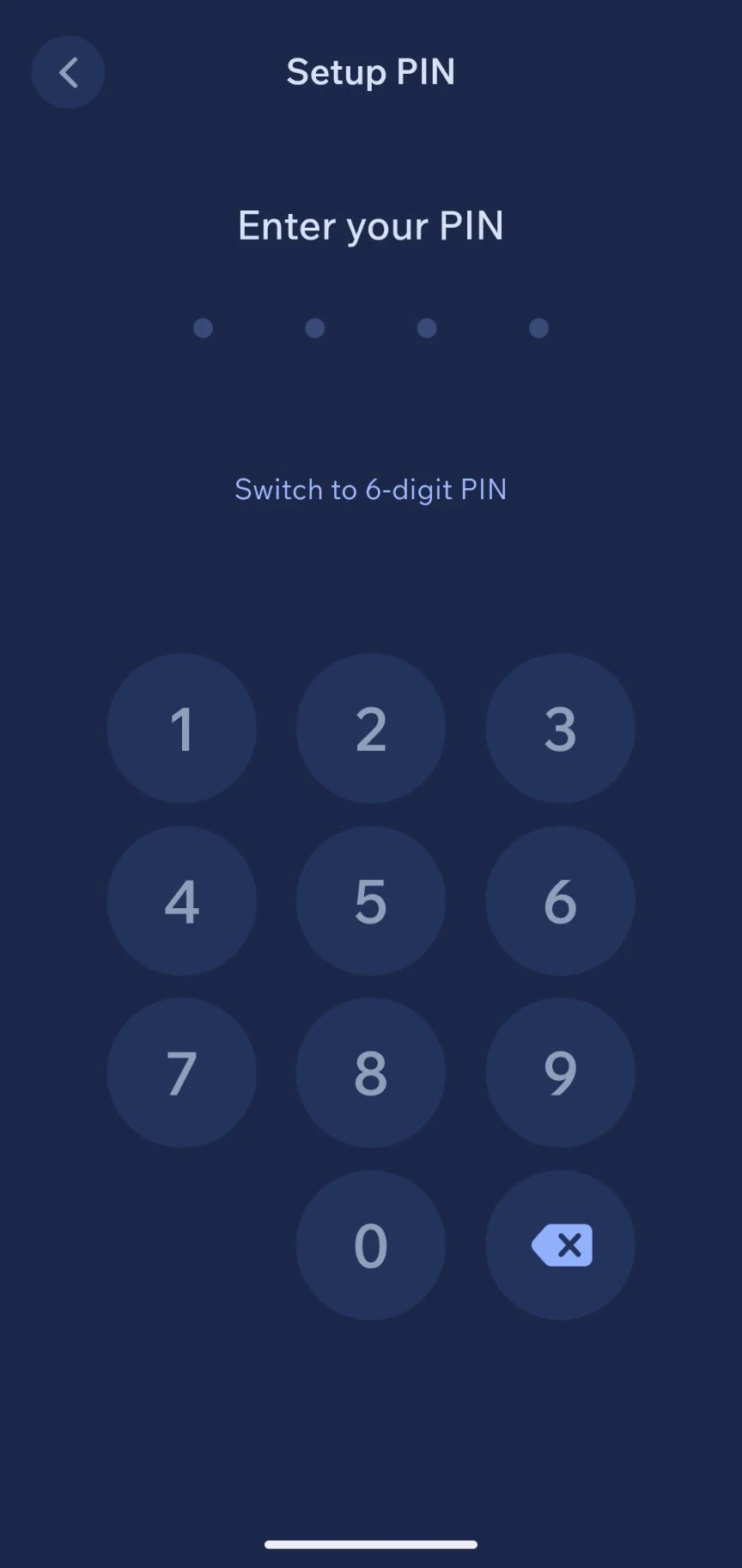
- Set a PIN or biometric unlock for the app itself

Restoring an existing wallet: choose “Restore wallet” and enter the seed phrase — works on any device, regardless of which install route you used.
Caveats
Audit coverage is limited. Outside of a multisignature review by Inference AG (late 2021), there is no recent, broad independent security audit publicly documented. The source code is open and inspectable, but that is not the same as a published audit report. For a wallet with real financial risk, that’s a genuine gap, even without any concrete indication of a problem.
Seed phrase loss is unrecoverable. As with any non-custodial wallet: no seed phrase, no access. There is no customer support that can restore your balance.
Swap privacy is not guaranteed. The swap providers are third parties with their own policies. Some may still request identification for larger amounts. Tor Only Mode protects your IP address toward those providers, but not what the provider itself logs.
The app itself has a larger attack surface, even if your wallet doesn’t. Even if you only create a Monero wallet and never touch the rest of the app, the same installed app is still running on your phone with code for every supported coin and every swap integration. That’s a different kind of risk than Feather or Monerujo, which as standalone applications simply contain no code for other coins at all. It’s not a proven weakness — there’s no concrete indication this has ever been exploited — but it is a real design difference between “my wallet is simple” and “the app running my wallet is simple.”
Pros and cons
Pros
- Open-source (MIT), source code publicly inspectable
- Non-custodial — seed-phrase-based recovery, no account required
- Built-in swap between Monero, Bitcoin, and other coins, no separate app
- Tor Only Mode for exchange and fiat traffic
- Available on Android, iOS, macOS, and Linux
- APK verification possible across GitHub, Accrescent, and F-Droid
Cons
- No recent, broad independent security audit
- Not in the default F-Droid index — requires adding its own repository
- Swap providers are third parties with their own privacy policies and possible ID requirements
- The installed app always contains code for every coin and swap integration, even if your own wallet is Monero-only
Conclusion
Cake Wallet is a practical, open-source entry point for starting with Monero on mobile and handling the Bitcoin-to-Monero swap in the same app. The non-custodial design and open source code are solid foundations.
The main caveat is the lack of a recent, broad independent audit — the code is inspectable, but that’s not the same as a published audit report. For readers who prefer an audit trail, Feather (desktop) or Monerujo (Android) remain the more conservative alternative. If you only want Monero but would rather stay inside Cake Wallet: that works too — just create a Monero wallet and leave the other coins alone.
Next step
Coming from the Monero guide?
- Monero guide — how Monero works, how to buy it, and where Cake Wallet fits in that process
Similar options
- Feather Wallet — desktop-only, Monero-only, no built-in swap (full review coming soon)
- Monerujo — Android, Monero-only, own F-Droid repository (full review coming soon)
Want to go further?
- Choosing a password manager — store your seed phrase here, not loose on your phone
- Privacy DNS guide — network privacy alongside financial privacy